AI-Agents 01
Beyond Automation: Designing Cognitive Architectures for AI-Agents

Michael Schöffel
January 13, 202612 min. read
Content
- 1. Summary
- 2. Introduction
- 3. The Paradigm Shift: From Rules to Reasoning
- 4. FSM vs. Agent: The Architecture of Decision
- 5. Topology of AI Systems: Chain, Router, Graph, Agent
- 6. The Theoretical Blueprint: The CoALA Framework
- 7. Pure Python Logic: The "Infinite Thought Loop"
- 8. From Script to System: The Long-Term Agent
- 9. Goal Decomposition: The Art of Breaking Down
- 10. Conclusion & Next Steps
- Further posts
1. Summary
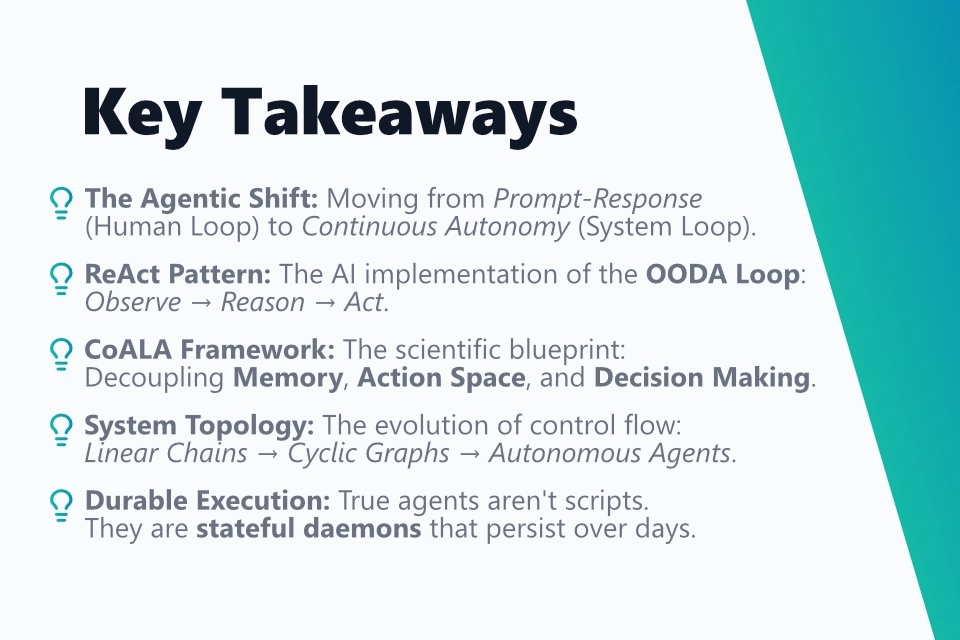
The current shift in software engineering marks the transition from deterministic rule sets to probabilistic cognitive architectures [1], in which Large Language Models (LLMs) autonomously solve tasks using the ReAct pattern (Reasoning & Acting) through iterative analysis and action steps. While classical Finite State Machines (FSM) offer verifiable control, agents enable the handling of unstructured and unforeseen scenarios through dynamic pathfinding, but in return require strategies for handling latency and logical errors.
For the development of robust long-term agents, a fleeting script approach is not sufficient; an architecture is required that stores the state continuously and operates the system as a permanent background service (daemon) to process asynchronous events without memory loss. In order to avoid "Context Drift" in complex tasks, a hierarchical separation of planning and execution must also be implemented, in which a higher-level planner decomposes goals into atomic subtasks that are processed sequentially.
2. Introduction
The history of computer science is a history of abstraction. From machine code to assembly, from procedural to object-oriented languages - and now we are facing a new, radical shift in abstraction: the Agentic Shift.
The first wave of generative AI (ChatGPT & Co.) was characterized by the "Prompt-Response" paradigm. In this mode, the human is the processor. We give a command, receive a result, evaluate it, and give the next command. The model itself is stateless and temporally unbound; it exists only in the moment of inference.
The Agentic Shift marks the transfer of procedural responsibility and temporal continuity from the human to the system. An AI agent is not defined by the size of its model, but by its architecture, which allows it to make autonomous decisions to achieve abstract goals.
In this first post of my series, we deconstruct the foundation of modern AI systems. We analyze the transition from deterministic scripts to probabilistic "Reasoning Loops", examine the CoALA framework as a theoretical blueprint, and finally implement a persistent agent in Python.
3. From OODA Loop to ReAct Pattern
Agents are not a new invention. Strategists have been using decision models for uncertain environments for decades. The most famous is the OODA Loop, developed by military strategist John Boyd: Observe, Orient, Decide, Act.
In software development, this loop was long difficult to implement because the steps "Orient" (understanding the context) and "Decide" (decision under uncertainty) were difficult to map deterministically. We only had if-else.
Large Language Models (LLMs) today act as the Reasoning Engine that enables this loop. The modern equivalent of the OODA Loop in AI research is the ReAct (Reason + Act) Pattern (Yao et al., 2022) [2].
3.1 The ReAct Loop in Detail
The ReAct pattern presented by Yao et al. (2022) is the de facto standard for simple agents. It breaks open the "black box" behavior of LLMs:
- Observation: The agent receives input (e.g., error message: "Connection refused").
- Thought (Cognition): The LLM analyzes the situation [3]. It accesses its internal knowledge and plans. ("The port might be blocked. I should check the port status.")
- Action (Interaction): The agent selects a deterministic tool [4] (Tool call: check_firewall_status).
- Execution: The environment executes the code and returns a result.
- Loop: The result becomes the new Observation.
This cycle allows for error resilience. If the tool throws an error, the script does not abort. The agent "reads" the error, adjusts its plan, and tries an alternative path.
4. FSM vs. Agent: The Architecture of Decision
In practice, the term "agent" is used inflationarily. Often a Finite State Machine (FSM) is completely sufficient. The decision between FSM and Agent is a decision between Control and Flexibility.
4.1 Finite State Machine (Deterministic Graph)
An FSM consists of a finite number of states. Transitions (edges) are hard-coded.
- Logic: State A + Input X → State B.
- Advantage: Verifiably correct. No hallucinations. Latency in the millisecond range.
- Limit: The "explosion of the state space". It is impossible to foresee and code every possible error case in a complex process (e.g., troubleshooting in IT networks).
4.2 Autonomous Agent (Probabilistic Graph)
An agent is, abstractly speaking, a state machine where the transition function has been replaced by an LLM.
- Logic: Current Context + Goal → LLM → Next Action.
- Advantage: Can handle unstructured data and unforeseen scenarios (generalization).
- Risk: Probabilistic nature means that 2+2 is not always 4. There is a risk of infinite loops or logical errors.
4.3 Decision Matrix: When to use what?
| Criterion | Finite State Machine (FSM) | Autonomous Agent |
|---|---|---|
| Input Data | Structured (JSON, Numbers, Enums) | Unstructured (Natural Language, Logs, Images) |
| Solution Space | Finite & Known | Open & Unknown |
| Fault Tolerance | Low (Exception leads to abort) | High (Self-correction possible) |
| Cost per Step | Negligible (CPU cycles) | High (LLM Tokens + Latency) |
4.4 Graphical Visualization
Finite State Machine (FSM):
Autonomous Agent:
5. Topology of AI Systems: Chain, Router, Graph, Agent
When we build systems, we must structure the interaction between LLM calls. We distinguish four evolutionary stages of complexity.
5.1 Level 1: The Chain (Pipeline)
A linear sequence. Prompt A → Output A → Prompt B → Output B.
- Example: A blog post generator. (Generate topic → Create outline → Write text).
- Problem: Lack of redundancy. If the outline is bad, the text will be bad ("Error Propagation").
5.2 Level 2: The Router (Switch)
The LLM decides at the beginning which path to take, but then follows a linear chain.
- Example: Customer Support Classification.
- Is it a refund? → Execute Refund_Chain.
- Is it a technical question? → Execute Tech_Support_Chain.
5.3 Level 3: The Graph (Stateful Cycles)
Here we introduce loops. This is the approach of modern frameworks like LangGraph. Execution is no longer a DAG (Directed Acyclic Graph), but cyclic.
- Example: Code generation with unit tests.
- LLM writes code.
- System runs tests.
- If tests fail → Jump back to step 1 with error message as context.
5.4 Level 4: The Agent (Dynamic Navigation)
There is no pre-drawn path. The LLM decides anew after each step ("ReAct"). It chooses the appropriate action from a toolbox.
- Advantage: Maximum flexibility.
- Disadvantage: Hard to control ("Steerability"). Without clear system prompts, agents tend to stray from the path.
6. The Theoretical Blueprint: The CoALA Framework
Before we write the first code, it is worth taking a look at the theory. While developers often pragmatically "hack away", researchers from Princeton and DeepMind have created a standardized terminology to describe agents with the CoALA Framework (Cognitive Architectures for Language Agents) [5].
When we speak of a "Cognitive Archetype", we usually mean the interaction of three core modules defined by CoALA:
- Memory:
- Working Memory: The current context (Chat History) that the LLM currently "sees".
- Episodic Memory: Past experiences (Vector Databases / Logs).
- Procedural Memory: Knowledge about tools and how to use them (System Prompts & Tool Definitions).
- Action Space:
- The set of all possible actions (API Calls, Python REPL, Search).
- Decision Making:
- The process that connects Memory and Action Space. In our case, this is the "Reasoning Loop" (ReAct).
Why is this important for us? Many simple "agents" fail because they stuff everything into Working Memory (Context Window). A good architect separates these memory areas cleanly.
When we build our Python agent shortly, we will make this separation implicitly:
- self.messages = Working Memory
- tools_registry = Procedural Memory
- system_prompt = Semantic Memory (Instructions)
Here is the CoALA architecture visually simplified:
7. Pure Python Logic: The "Infinite Thought Loop"
Frameworks like LangChain, CrewAI, or AutoGen are helpful, but often abstract too much. To truly master cognitive architectures, one must have built them "from scratch" at least once.
We will now build a synchronized ReAct loop in Python:
7.1 Core Components
- System Prompt: Defines the personality and output format.
- Tool Registry: A dictionary that maps function names to Python functions.
- Context (Memory): A list that stores the conversation history (append-only).
- The Loop: The while loop that aborts when the LLM sends a FINAL ANSWER signal.
7.2 Implementation
1import json
2import time
3from datetime import datetime
4
5# Simulated OpenAI Client (in production: import openai)
6class MockLLM:
7    def chat_completion(self, messages):
8        # Here would be the real API call.
9        # To keep the example runnable, we simulate responses based on the last user input.
10        last_msg = messages[-1]['content']
11
12        if "Objective" in last_msg:
13            return """Thought: The user wants to scan the IP. I should first use the 'nmap' tool.
14Action: {"tool": "nmap", "args": {"target": "192.168.1.5"}}"""
15
16        if "Port 80 is OPEN" in last_msg:
17            return """Thought: Port 80 is open. That means a web server. I should fetch the HTTP header.
18Action: {"tool": "http_get", "args": {"url": "http://192.168.1.5"}}"""
19
20        if "Server: Apache" in last_msg:
21            return """Thought: I have all the information. It is an Apache server on port 80.
22FINAL ANSWER: The target system 192.168.1.5 is running an Apache web server on port 80."""
23
24        return "FINAL ANSWER: I cannot solve this."
25
26class AgentEngine:
27    def __init__(self, tools, system_prompt="", max_steps=10):
28        self.tools = tools
29        self.system_prompt = system_prompt
30        self.max_steps = max_steps
31        self.memory = []
32        self.llm = MockLLM() # Placeholder for real client
33
34    def _update_memory(self, role, content):
35        self.memory.append({"role": role, "content": content, "timestamp": datetime.now().isoformat()})
36
37    def _parse_response(self, response_text):
38        """
39        Extracts Thought and Action from the LLM Output.
40        Expected format:
41        Thought: ...
42        Action: {"tool": "...", "args": {...}}
43        """
44        result = {"thought": None, "action": None, "final_answer": None}
45
46        if "FINAL ANSWER:" in response_text:
47            result["final_answer"] = response_text.split("FINAL ANSWER:")[1].strip()
48            return result
49
50        if "Action:" in response_text:
51            parts = response_text.split("Action:")
52            result["thought"] = parts[0].replace("Thought:", "").strip()
53            try:
54                result["action"] = json.loads(parts[1].strip())
55            except json.JSONDecodeError:
56                print("!! Error parsing JSON !!")
57
58        return result
59
60    def run(self, objective):
61        self._update_memory("system", self.system_prompt)
62        self._update_memory("user", f"Objective: {objective}")
63
64        step = 0
65        while step < self.max_steps:
66            step += 1
67            print(f"\n--- STEP {step} ---")
68
69            # 1. REASONING
70            response = self.llm.chat_completion(self.memory)
71            print(f"AGENT: {response}")
72
73            parsed = self._parse_response(response)
74
75            # Check for Finish
76            if parsed["final_answer"]:
77                return parsed["final_answer"]
78
79            # 2. ACTING
80            if parsed["action"]:
81                tool_name = parsed["action"]["tool"]
82                tool_args = parsed["action"]["args"]
83
84                if tool_name in self.tools:
85                    print(f"TOOL EXECUTION: {tool_name} with {tool_args}")
86                    try:
87                        # Dynamic function call
88                        observation = self.tools[tool_name](**tool_args)
89                    except Exception as e:
90                        observation = f"Error executing tool: {str(e)}"
91                else:
92                    observation = f"Error: Tool '{tool_name}' not found."
93
94                print(f"OBSERVATION: {observation}")
95
96                # 3. FEEDBACK LOOP
97                # The result is written back to memory
98                self._update_memory("user", f"Observation from {tool_name}: {observation}")
99            else:
100                self._update_memory("user", "System Notification: Please define a valid Action JSON or FINAL ANSWER.")
101
102        return "Aborted: Maximum number of steps reached."
103
104# --- TOOL DEFINITIONS ---
105def nmap_tool(target):
106    # Simulates a port scan
107    return f"Scan results for {target}: Port 80 is OPEN, Port 22 is CLOSED."
108
109def http_tool(url):
110    # Simulates an HTTP request
111    return "HTTP 200 OK. Headers: {Server: Apache/2.4.41 (Ubuntu)}"
112
113# --- EXECUTION ---
114tools_registry = {
115    "nmap": nmap_tool,
116    "http_get": http_tool
117}
118
119prompt = """
120You are an autonomous network security auditor.
121Use the provided tools to gather information.
122Reasoning process: Always provide your 'Thought' before your 'Action'.
123Format:
124Thought: [Reasoning]
125Action: {"tool": "tool_name", "args": {"arg_name": "value"}}
126When done, output 'FINAL ANSWER: [Result]'.
127"""
128
129agent = AgentEngine(tools=tools_registry, system_prompt=prompt)
130result = agent.run("Analyze the host 192.168.1.5")
131print(f"\nRESULT: {result}")
7.3 Code Analysis
This code demonstrates the "Thought-Action-Observation" triple.
- The LLM generates a thought and a JSON object.
- The Python logic (AgentEngine) stops the LLM, parses the JSON, and executes the real Python function.
- The return value of the function is sent to the LLM as a new "User" prompt. This is crucial: The LLM has no memory. The entire "State" is passed again in the self.memory list with each call (Context Window).
8. From Script to System: The Long-Term Agent
The ReAct code shown in the previous section has a fundamental limitation: It is transient. It exists only for the duration of execution in the main memory (RAM). If the script crashes or the task is done, the "spirit" of the agent dies. Everything learned is lost.
A Long-Term Agent System, on the other hand, behaves like a background service (daemon) or service [6]. It is not just a loop, but a state machine with persistence. It waits for events (emails, schedules) and must retain its state over days. In enterprise architecture, we call this concept Durable Execution.
8.1 Durable Execution
The goal is to persist the state of the program (variables, stack trace) so that it can continue exactly where it left off after a crash or restart. Frameworks like Temporal.io are leaders here, but the principle can be explained simply.
We need a Persistence Layer (database) that stores the Working Memory.
8.2 The Architectural Difference
While the simple ReAct agent is started by a direct user input ("Do X"), a long-term system often acts event-based. It "sleeps" (idle state) until a trigger (e.g., an incoming email, a timer, a webhook) wakes it up.
Crucial here is state management: The context must not lie in RAM, but must be persisted in a database (SQLite, Redis, JSON) so that the agent can continue where it left off after a restart.
Here is the lifecycle of a long-term system in comparison:
8.3 Code Implementation: The Persistent "Daemon"
We now extend our logic with a StateEngine that saves the state to disk. The agent now runs in an infinite loop, checks for work, does it, and goes back to sleep.
1import time
2import json
3import os
4
5class PersistentState:
6    def __init__(self, filename="agent_state.json"):
7        self.filename = filename
8        self.state = self._load()
9
10    def _load(self):
11        if os.path.exists(self.filename):
12            with open(self.filename, 'r') as f:
13                return json.load(f)
14        return {"status": "IDLE", "memory": [], "current_task": None}
15
16    def save(self):
17        with open(self.filename, 'w') as f:
18            json.dump(self.state, f, indent=2)
19
20    def update_memory(self, entry):
21        self.state["memory"].append(entry)
22        self.save()
23
24class LongRunningDaemon:
25    def __init__(self):
26        self.db = PersistentState()
27        # We use the AgentEngine from Section 6
28        # (Here as a placeholder, in reality one would import it)
29        self.engine = AgentEngine(tools=tools_registry)
30
31    def check_triggers(self):
32        """Simulates an Event Listener (e.g., Cronjob or Message Queue)"""
33        # Example: Check if a file 'task.txt' exists
34        if os.path.exists("task.txt") and self.db.state["status"] == "IDLE":
35            with open("task.txt", "r") as f:
36                task = f.read().strip()
37            os.remove("task.txt") # Consume event
38            return task
39        return None
40
41    def run_service(self):
42        print("Agent Service started. Waiting for events...")
43        while True:
44            # 1. State Recovery: Where were we?
45            if self.db.state["status"] == "BUSY":
46                print("System restart detected. Resuming previous task...")
47
48                # Recovery Logic: Load existing memory
49                current_task = self.db.state.get("current_task")
50                if current_task:
51                    self.engine.memory = self.db.state["memory"]
52                    # Continue work
53                    print(f"Resuming task: {current_task}")
54                    result = self.engine.run(current_task)
55
56                    # Task Completion
57                    print(f"TASK COMPLETED (Resumed): {result}")
58                    self.db.update_memory({"role": "system", "content": f"Done: {current_task}. Result: {result}"})
59                    self.db.state["status"] = "IDLE"
60                    self.db.state["current_task"] = None
61                    self.db.save()
62
63            # 2. Event Polling
64            new_task = self.check_triggers()
65
66            if new_task:
67                print(f"EVENT TRIGGERED: {new_task}")
68                self.db.state["status"] = "BUSY"
69                self.db.state["current_task"] = new_task
70                self.db.save()
71
72                # 3. Execute ReAct Loop
73                # We pass the persistent memory
74                self.engine.memory = self.db.state["memory"]
75                result = self.engine.run(new_task)
76
77                # 4. Task Completion & Persistence
78                print(f"TASK COMPLETED: {result}")
79                self.db.update_memory({"role": "system", "content": f"Done: {new_task}. Result: {result}"})
80                self.db.state["status"] = "IDLE"
81                self.db.state["current_task"] = None
82                self.db.save()
83
84            else:
85                # Power saving mode / Polling rate
86                time.sleep(2)
87
88# Start Daemon
89if __name__ == "__main__":
90    daemon = LongRunningDaemon()
91    daemon.run_service()
8.4 The Critical Difference
| Feature | ReAct Script | Long-Term System |
|---|---|---|
| Lifespan | Process duration (Seconds/Minutes) | Infinite (Days/Weeks) |
| Memory | RAM (Transient) | Database/File (Persistent) |
| Trigger | Human Start Command | Asynchronous Events (Time, API, File) |
| Failure Case | Crash = Data Loss | Crash = Restart & Resume (through State File) |
A Long-Term System is the prerequisite for true autonomy. Only then can an agent, for example, "Check the news every morning at 8:00 AM" or "Wait until the server is reachable again, and then continue".
9. Goal Decomposition: The Art of Breaking Down
The ReAct loop shown above works well for short tasks. With complex goals (e.g., "Create a market analysis for product X, identify 5 competitors, and write a LinkedIn post about it"), a simple loop often fails.
9.1 Why?
- Context Drift: The longer the chat history, the more likely the model is to forget the original goal ("Lost in the Middle" phenomenon [7]).
- Reasoning Fatigue: The model tries to do planning and execution simultaneously.
9.2 Solution: Hierarchical Planning (Plan-and-Solve) [8]
We separate Planning (System 2) from Execution (System 1).
9.3 Architecture
- The Planner: An LLM call that only analyzes the goal and creates a DAG (Directed Acyclic Graph) of subtasks. It has no tools.
- The Executor: A ReAct agent (as in the code above) that processes the subtasks one after another.
- The Integrator: Merges the partial results.
9.4 Example: "Infiltrating Subnet X"
9.4.1 Step 1: Planner Prompt
Goal: Infiltrate Subnet X. Decompose this into atomic, sequential steps. Answer only as JSON list.
Output Planner:
1[
2  {"id": 1, "task": "Identify active hosts in the subnet", "dependency": null},
3  {"id": 2, "task": "Identify open ports on found hosts", "dependency": 1},
4  {"id": 3, "task": "Search for CVEs for identified services", "dependency": 2}
5]
9.4.2 Step 2: Controller Loop
The controller takes Task 1, instantiates a new AgentEngine with empty memory (Memory Reset!) and passes only Task 1 as the goal. The result of Task 1 is passed as context for Task 2.
This "Context-Clearing" Strategy is essential for long-term agents, as it saves tokens and sharpens the model's focus.
10. Conclusion & Next Steps
We have seen that modern AI agents are far more than just clever prompts. They are software architectures that connect probabilistic logic (LLM) with deterministic tools (Code) through control flow structures (Loops, Graphs).
The biggest weakness of our current AgentEngine code is transparent: It trusts itself too much. What happens if the LLM hallucinates and calls nmap with wrong parameters? The current code would throw an error or get into a loop.
In the next post on Self-Reflection [9], we will harden this system. We are going to implement an "Inner Critic" - a secondary reasoning loop that checks the agent's outputs, corrects errors, and ensures that the agent does not end up in a dead end without human intervention.
Further posts
- AI-Agents 01 - Beyond Automation: Designing Cognitive Architectures for AI-Agents
- AI-Agents 02 - The Architectural Spectrum of Agentic Systems
- AI-Agents 03 - Self-Reflection in Agentic Systems
- AI-Agents 04 - Architectural Persistence: Efficient Management of Short-term and Long-term Memory in Long-lived Agentic Systems
- AI-Agents 05 - The Architecture of Endurance: Long-Running Context Persistence and Context Optimization in Agentic Systems
Sources
[1]
Z. Xi et al., “The Rise and Potential of Large Language Model Based Agents: A Survey,” arXiv preprint arXiv:2309.07864, 2023.
[2]
S. Yao et al., “ReAct: Synergizing Reasoning and Acting in Language Models,” in International Conference on Learning Representations (ICLR), 2023. arXiv:2210.03629.
[3]
J. Wei et al., “Chain-of-Thought Prompting Elicits Reasoning in Large Language Models,” in Advances in Neural Information Processing Systems (NeurIPS), vol. 35, 2022, pp. 24824-24837.
[4]
T. Schick et al., “Toolformer: Language Models Can Teach Themselves to Use Tools,” arXiv preprint arXiv:2302.04761, 2023.
[5]
T. Sumers et al., “Cognitive Architectures for Language Agents,” arXiv preprint arXiv:2309.02427, 2023.
[6]
J. S. Park et al., “Generative Agents: Interactive Simulacra of Human Behavior,” in Proceedings of the 36th Annual ACM Symposium on User Interface Software and Technology (UIST '23), 2023.
[7]
N. F. Liu et al., “Lost in the Middle: How Language Models Use Long Contexts,” Transactions of the Association for Computational Linguistics, vol. 12, pp. 157-173, 2024. arXiv:2307.03172.
[8]
L. Wang et al., “Plan-and-Solve Prompting: Improving Zero-Shot Chain-of-Thought Reasoning by Large Language Models,” in Proceedings of the 61st Annual Meeting of the Association for Computational Linguistics (ACL), 2023, pp. 2609-2634.
[9]
N. Shinn et al., “Reflexion: Language Agents with Verbal Reinforcement Learning,” in Advances in Neural Information Processing Systems (NeurIPS), vol. 36, 2023.
Contact me
Contact me
You got questions or want to get in touch with me?
- Name
- Michael Schöffel
- Phone number
- Mobile number on request
- Location
- Germany, exact location on request
- [email protected]
Send me a message
* By clicking the 'Submit' button you agree to a necessary bot analysis by Google reCAPTCHA. Cookies are set and the usage behavior is evaluated. Otherwise please send me an email directly. The following terms of Google apply: Privacy Policy & Terms of Service.